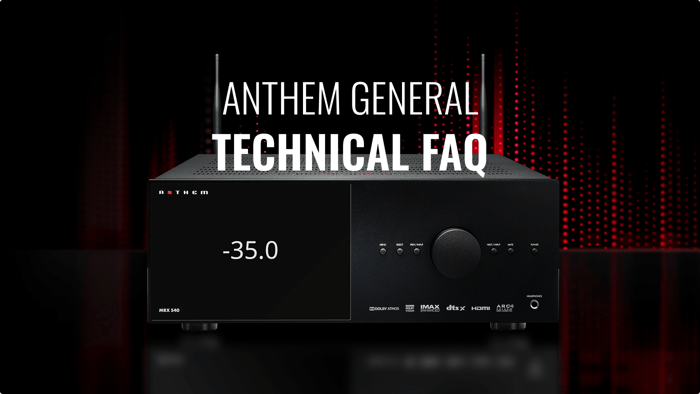

This article explains why Anthem’s model name and serial number are important for support and warranty, and shows customers where to find them on their products. It walks through common locations—front and rear panels, bottom labels, original packaging, manuals, and sometimes on-screen menus—plus tips for hard-to-reach installations. It also covers what to do if labels are missing or unreadable and what information to have ready when contacting Anthem Support or an authorized dealer.Table of Contents
- Why do I need my model name and serial number?
- Where can I find the model name on my Anthem product?
- Where can I find the serial number on my Anthem product?
- What does the serial number look like?
- I can’t access the back of my Anthem unit. What should I do?
- Can I find the model or serial number in the on-screen menus?
- What if my serial number label is missing or unreadable?
- What information should I have ready when contacting Anthem?
Why do I need my model name and serial number?
Having your model name and serial number ready helps Anthem (or your dealer) quickly identify your exact product, firmware requirements, and warranty status. It’s often required for:
Technical support
Warranty claims
Firmware or software inquiries
Service or repair requests
Where can I find the model name on my Anthem product?
The model name (for example: MRX 540, MRX 740, AVM 70, MCA 325, etc.) is usually printed in one or more of the following locations:
Front Panel
Look at the front of the unit.
The model name is often printed near a corner, near the display, or under the Anthem logo.
Rear Panel
Check the back of the product near the input/output connections.
The model name is often printed on a label along with electrical ratings and compliance logos.
Original Packaging
If you still have the box, the model name will be printed on the outer carton label.
User Manual / Quick Start Guide
The model name appears on the cover and sometimes at the top or bottom of each page.
Where can I find the serial number on my Anthem product?
The serial number is a unique identifier for your specific unit. It is usually found in these places:
Rear Panel Label
Look for a sticker or printed label on the back of the unit.
It will typically say “Serial No.”, “S/N”, or “Serial Number” followed by a combination of numbers and/or letters.
Bottom of the Unit (on some models)
Carefully lift or tilt the product (ensuring all cables are secure) and check the bottom surface for a label.
Original Box
The shipping carton often has a label showing both the model name and serial number.
This can be especially helpful if the unit is already installed in a rack or hard-to-reach space.
What does the serial number look like?
Serial numbers can vary by product and generation, but generally:
They are a string of numbers and/or letters.
They may be printed as:
S/N: 123456789
Serial: A1B2C3D4E5
If you’re unsure whether you’ve found the correct number, take a clear photo of the label and include it when contacting support.
I can’t access the back of my Anthem unit. What should I do?
If your Anthem product is in a tight space, rack, or built-in cabinet:
Check the box or purchase paperwork
The serial number may be printed on the invoice, receipt, or dealer paperwork.
The original carton label usually lists both the model and serial number.
Ask your installer or dealer
If a custom installer set up your system, they may have recorded the serial number in their project notes.
Take a photo with your phone
If you can reach the back of the unit but can’t see it clearly, use your phone’s camera and flashlight to capture the label.
Can I find the model or serial number in the on-screen menus?
On some Anthem products (such as AVM and MRX models), you may be able to see model information and firmware version in the on-screen setup menus or web UI. While this may not always show the serial number, it can confirm the exact model you’re using.
Navigate to the Settings / System Information / About section on your Anthem interface (if available).
Note: The availability of this feature can vary by product and firmware version.
What if my serial number label is missing or unreadable?
If the serial number label is damaged or missing:
Check the original packaging and paperwork
Dealers often record serials on invoices or sales orders.
Contact your dealer
They may have your serial number on file from when the unit was sold.
Contact Anthem Support
Provide as much information as possible (model, approximate purchase date, dealer, and any photos of the unit).
While it may not always be possible to recover the serial number, support can advise on next steps.
What information should I have ready when contacting Anthem?
When reaching out for help, it’s useful to have:
Model name (e.g., MRX 540, AVM 90, MCA 325, STR Integrated, etc.)
Serial number
Approximate purchase date
Dealer/store name
Country/region
Having this info handy will help Anthem’s support team assist you more quickly and accurately.